

MI Account Remove Permanent | New Unlock Code Free | Solve *Activate This Device* Mi Account
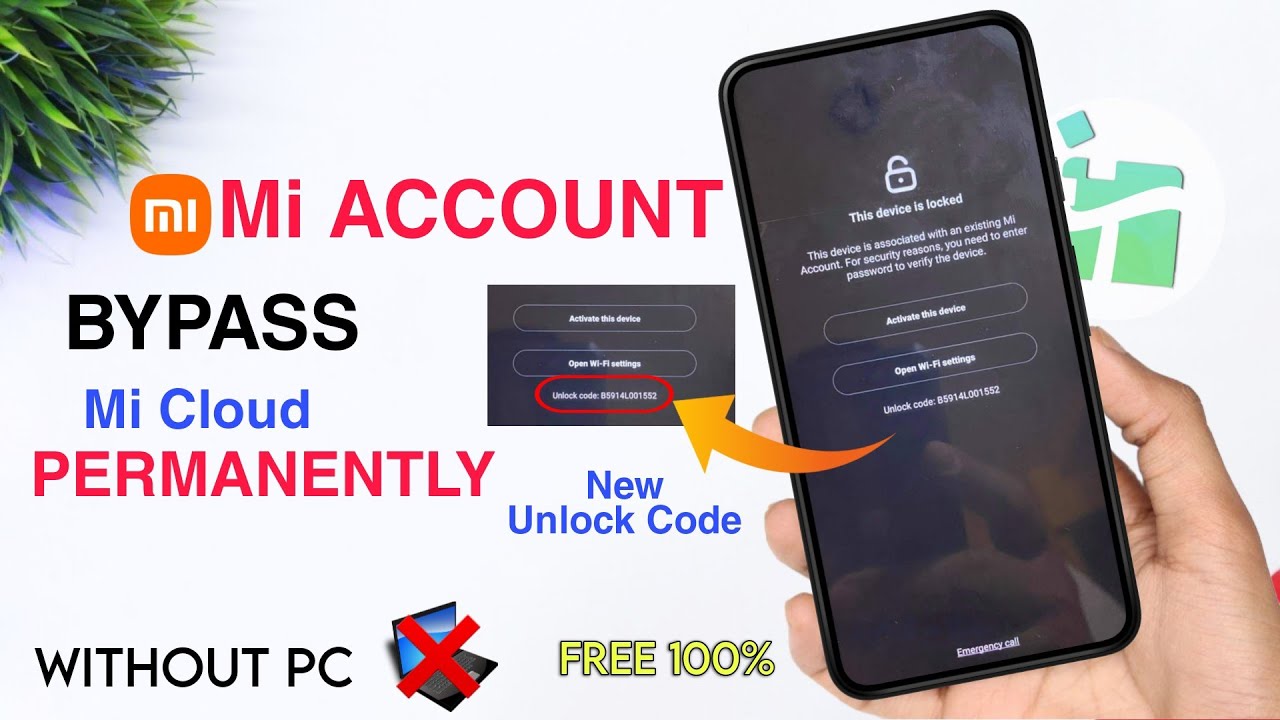
Imagine firing up your Xiaomi device, only to be greeted by the dreaded "Activate This Device" screen. Your phone, once a loyal companion, is now an expensive paperweight, demanding an MI Account password you can't recall or never even knew. It’s a frustrating scenario many Xiaomi users face, often after a factory reset, purchasing a second-hand phone, or simply forgetting credentials. But what if there was a way to permanently remove this MI Account lock, perhaps even with a new, free unlock code, bringing your device back to life? That’s precisely the hope and solution many are seeking, and understanding the process is key to reclaiming your phone.
Understanding the MI Account Lock and the "Activate This Device" Message
The MI Account lock is Xiaomi's security feature designed to protect user data and deter theft, much like Apple's iCloud lock. When an MI Account is linked to a device and features like "Find Device" are enabled, performing a factory reset without first logging out of the MI Account will trigger this lock. The "Activate This Device" message then appears, demanding the associated MI Account credentials to proceed. Here's why users commonly encounter this roadblock:- **Forgotten Credentials:** The most straightforward reason – you simply forgot the password or the email/phone number linked to the account.
- **Second-hand Device Purchase:** You bought a used Xiaomi phone, unaware it was still tied to the previous owner's MI Account. Without their details, your device remains locked.
- **Software Glitches:** In rare cases, a software update or a bug might erroneously trigger the lock.
The Quest for a Permanent Solution: Navigating MI Account Removal
When faced with an MI Account lock, the primary goal for most users is a *permanent* solution. Nobody wants a temporary bypass that might re-lock the device after an update or another reset. The internet is awash with various methods, but distinguishing between legitimate, safe approaches and risky, potentially device-damaging ones is crucial. A permanent removal typically means:- The device is no longer linked to any MI Account, allowing you to set up your own.
- The lock does not reappear after software updates, factory resets, or flashing new ROMs.
Deciphering "New Unlock Codes Free": What It Means for You
The phrase "New Unlock Code Free" is particularly enticing for users grappling with an MI Account lock. It suggests a simple, cost-free solution to a complex problem. Historically, unlock codes have been part of various device unlocking processes, from carrier locks to specific bootloader unlocks. For MI Accounts, "free unlock codes" could refer to a few possibilities:- **Official Channels:** Sometimes, Xiaomi support might provide an unlock code or a method if you can prove ownership, especially if you're the original owner with a purchase receipt.
- **Community-Discovered Methods:** The tech community is constantly exploring ways to bypass or resolve such issues. A "new unlock code" might imply a recently discovered vulnerability or a specific sequence provided by third-party tools that exploit certain aspects of the system.
- **Specific Software Tools:** There are numerous tools available, some free, that claim to generate unlock codes or perform direct bypasses. These can range from legitimate developer tools to more dubious offerings.
Steps to Consider When Unlocking Your Xiaomi Device
Approaching the MI Account removal process requires patience and a systematic approach. Before diving into any specific method, here are some general steps and considerations:- **Gather Proof of Ownership:** If you're the original owner, having your purchase receipt, invoice, or warranty card is invaluable. Xiaomi support is much more likely to assist you if you can prove the device belongs to you.
- **Identify Your Device Details:** Note down your phone's IMEI number, model number, and the MIUI version. This information is usually accessible even from the locked screen or on the phone's original packaging.
- **Research Thoroughly:** Before attempting any "new unlock code" or software, research the method extensively. Look for independent reviews, forum discussions, and tutorials from reputable sources.
- **Backup Data (If Possible):** While often difficult with a locked device, if there's any chance to back up your data, do it. The unlock process might involve wiping your device.
- **Be Wary of Overly Simple or Demanding Solutions:** If a solution promises instant results with no effort or asks for sensitive personal information or payment without a clear, trustworthy process, proceed with extreme caution.
- **Follow Instructions Precisely:** If you find a reputable method, whether through the video or another source, follow the instructions to the letter to avoid further issues.


.png)
.png)


Follow Us